
Guides and Information

Installing Microsoft Office 365 on Windows 10 and 11 is easy and straightforward. This guide will take you through each step of the installation process, ensuring you can quickly access all the tools and features of Office 365, including Word, Excel, and Outlook, on your Windows device.

Installing new fonts in Windows 10 and 11 can enhance your documents and creative projects. This guide will walk you through the simple process of adding and managing fonts on your system, helping you customize your text for any need.

Private channels in Microsoft Teams provide a secure space for confidential conversations and file sharing within a team. Unlike standard channels. This guide explains how to create a private channel, manage its membership, and understand how it differs from regular channels.

Mobile devices are frequent targets for cyberattacks, making security more important than ever. This article explores key strategies to protect your smartphone or tablet from threats like malware, phishing, and unauthorized access—whether you’re at home, at work, or on the go.
This visual guide walks you through the simple process of installing Microsoft Teams on your mobile devices, whether you’re using iOS or Android. Stay connected and collaborate seamlessly with your team, no matter where you are. Follow the steps to quickly set up Teams on your phone and start accessing

Setting up your Microsoft 365 email in Microsoft Outlook is essential for seamless communication. This guide will take you through the process step-by-step, ensuring that you can easily configure your email account and start managing your inbox in no time. Whether you’re using Outlook on Windows or Mac, we’ve got

Reporting suspicious emails in Outlook helps protect your account and others from phishing and spam. Use the Report button or the Report Message add-in to flag junk or phishing attempts. If you’ve clicked a suspicious link, change your password immediately and contact IT support.
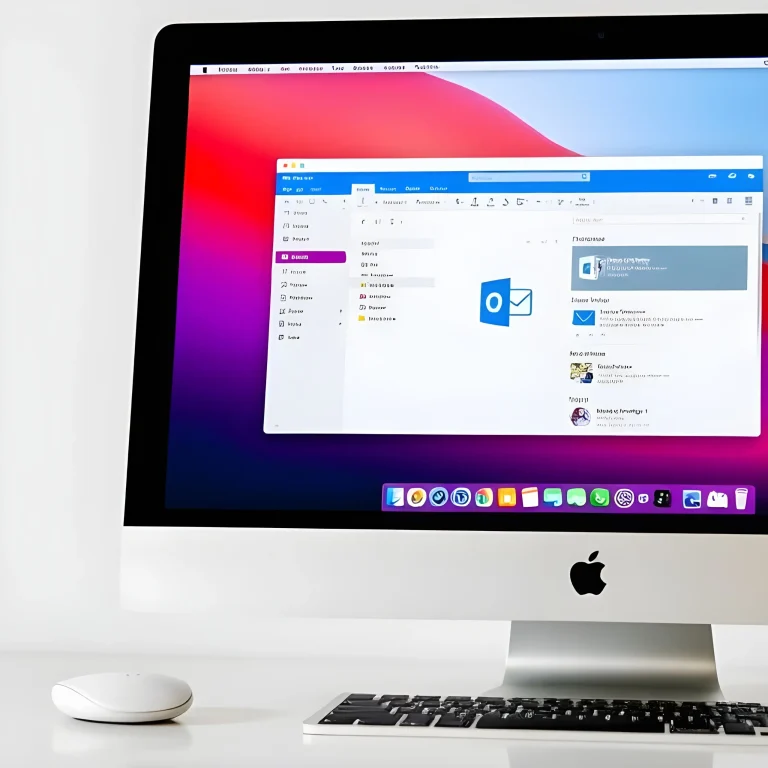
Adding a shared mailbox in Microsoft Outlook for Mac allows multiple users to manage a common email address. This guide will walk you through the simple steps to set up and access a shared mailbox. Enhance collaboration and streamline your communication with ease.

Connecting a Microsoft 365 SharePoint document library to your Windows 10 or 11 PC allows you to easily access and manage shared files. This guide will walk you through the steps to sync your SharePoint library, ensuring you can work seamlessly with your team on important documents.

Microsoft is implementing significant storage policy changes for education tenants using Microsoft 365. This article breaks down what educators and IT administrators need to know about OneDrive, SharePoint, and Teams data limits, timelines, and how to prepare for a smooth transition.

Not sure whether to host a Meeting, Webinar, or Live Event in Microsoft Teams? This guide breaks down the key differences between each format, helping you choose the right option based on your audience size, interaction needs, and event goals. From internal team catch-ups to large-scale broadcasts, learn when and

Installing new fonts in Windows 10 and 11 can enhance your documents and creative projects. This guide will walk you through the simple process of adding and managing fonts on your system, helping you customize your text for any need.

Installing Microsoft Teams on your Windows 10 or 11 device helps you stay connected with colleagues and collaborate efficiently. This guide will walk you through the steps to install and set up Teams, allowing you to start chatting, video conferencing, and sharing files in no time.

Setting up Multi-Factor Authentication (MFA) with Microsoft Authenticator adds an extra layer of security to your Microsoft account. This guide will walk you through the process of enabling MFA and configuring the Microsoft Authenticator app, ensuring your account is protected with enhanced security.

Cybersecurity threats are constantly evolving, putting personal and business computers at risk. This article outlines practical steps to secure your computer against malware, ransomware, phishing attacks, and other online threats to keep your data safe and systems running smoothly.

Follow the easy, step-by-step instructions to set up OneDrive sync, ensuring seamless access to your SharePoint files directly from your desktop. Stay organized and work efficiently with this cloud-based solution.

Discover how to create a OneDrive shortcut to a SharePoint folder with our simple, step-by-step guide. Streamline file access and enhance your workflow. Perfect for integrating OneDrive and SharePoint!.

Installing new fonts in Windows 10 and 11 can enhance your documents and creative projects. This guide will walk you through the simple process of adding and managing fonts on your system, helping you customize your text for any need.
Private channels in Microsoft Teams provide a secure space for confidential conversations and file sharing within a team. Unlike standard channels. This guide explains how to create a private channel, manage its membership, and understand how it differs from regular channels.

Learn how to back up your Google Chrome profile safely and quickly. This step-by-step video tutorial shows you how to preserve your bookmarks, saved passwords, extensions, and browser settings by copying your Chrome user profile. Perfect for users planning to reinstall Chrome, switch computers, or protect their data. Ideal for

Discover the two types of Microsoft Bookings pages—Individual and Team—and learn which one best suits your business. Whether you’re a solo professional or part of a larger team, this guide explains how each option works and how it can simplify your appointment scheduling.

Setting up Multi-Factor Authentication (MFA) with Microsoft Authenticator adds an extra layer of security to your Microsoft account. This guide will walk you through the process of enabling MFA and configuring the Microsoft Authenticator app, ensuring your account is protected with enhanced security.